
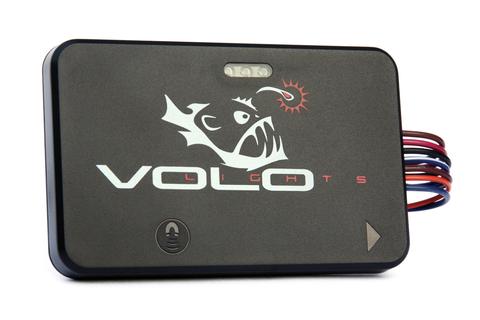
VoloMOD Early Indication Brake Lights
In this mode, VoloMOD flashes your wired lights at two different rates to provide an early indication of deceleration in addition to the level of urgency
- Author: Faizal Ali
- Time estimate: 10 minutes
- Difficulty: Easy
Installation of voloMOD in early indication mode
Tools
Step 1 — Preparing for an install 
-
Locate a switched 12 VDC power source.
-
Identify your motorcycle's color code for power, ground, and brake signal wires.
-
Select a clean surface on a motorcycle to install VoloMOD. Surface grade should be less than 45 degrees. Avoid "negative slope" i.e sloping back towards the motorcycle.
Step 2 — Unboxing 
-
The simple installation requires the three posi-tap connectors(red/grey) and the magnet.
-
Save the posi-lok (red/red) connectors in case the full installation mode is desired in the future.
Step 3 — Connecting Power and Ground 
-
Make sure the motorcycle is in the OFF position.
-
Connect VoloMOD black wire (#4) to the motorcycle's ground using the posi-tap connector.
-
Connect VoloMOD red wire (#5) to the motorcycle switched 12V using the posi-tap connector.
Step 4 — Check power up 
-
Once installed, switch the motorcycle to the ON position and check for the start up sequence shown in the video
Step 5 — Install output wire to the brake lights 
-
The shorter blue and brown wires with white strips from the VoloMOD are inputs to the VoloMOD. They are not used for this installation.
-
Instructions on how to use Posi-lok connectors can be found here.
Step 6 — Checking the brake signal connection 
-
Check the output connection by tilting VoloMOD slowly until the first trigger point is met; and then the second as shown in the video
-
Check both the LEDs on the VoloMOD and your brake lights
Step 8 — Change sensitivity or Mode (optional) 
-
There are three sensitivity settings on the VoloMOD
-
This step is optional. To change the setting, click here.
Step 9 — Calibration 
-
IMPORTANT: Calibration must be performed on a level surface with the motorcycle in an upright position.
-
With the power ON, introduce the magnet to VoloMOD. Note the flash sequence
-
Remove magnet at the first flash while keeping motorcycle upright and still for 5 seconds.
-
Note the flash sequence shown in the video.
Step 10 — Tidy up and ride! 
-
Remove exposed copper from unused wires and tape together securely.
-
We recommend riding with a friend to confirm VoloMOD is functioning and calibrated properly.



2 Comments
Add a commentStep 3
The image with the colors of wires and how they connect (image 2) is incorrect. It shows the brown wire (6) connecting to the brake line. But your instructions say the blue wire (7).
Eli Robinson - Reply
Hello Eli,
Thank you for your feedback. Both wires are outputs (Blue and Brown) and we updated the manual to clarify it. Thanks
Faizal
Faizal Ali - Reply